 |
Region impostors
Preliminary draft - May, 2025
- Revised: 2025-05-17
- Revised: 2025-05-25
- Revised: 2025-06-04
- Revised: 2025-06-08
- Revised: 2025-07-11
- Revised: 2025-07-25
- Revised: 2025-10-02
IntroductionSecond Life and Open Simulator offer big worlds, but you can't see very far. The draw distance is a few hundred meters at best. So you never get to see the world at full scale. Most big-world games let you see for miles. Users today expect Second Life to let you do that. This tech note is about how to do it. The basic concept is much like sim surrounds, where isolated regions have off-region content that can be seen but not visited. Visible but somewhat distant regions can be represented by low-resolution region impostors, objects that look like the real region from a distance. Sailors should be able to see distant shores when sailing. Flyers should be able to see the ground over which they are flying and airports they are are approaching. Everyone should be able to see mountains and tall buildings in the distance. What's a region impostor?A region impostor is an ordinary SL/OS object, with some restrictions. It's a minature of the region, one which, from a distance, looks like the real region. Technical detailsRegion impostors must be mesh objects, not prims or sculpts. The mesh levels of detail are intended to be used as follows:
Region impostors can't be the full size of the region, due to SL size limitations on prims. So they will generally be created at some convenient miniature size such as 16 x 16 meters. When the Sharpview viewer displays them, they will be scaled up to region size. They can be rezzed in world to create a minature of a region, and to get a close look at them. For Open Simulator, region impostors need not be square, and should have the same proportions as the region they represent. Region impostors initially have a mesh, and a classic base color texture, each represented by a UUID. Texture scale, rotation, and repeat are all default values. There is no texture animation. There are currently no materials, PBR or otherwise.. This is the state of a mesh just uploaded to SL servers, before any use of the "Edit" menu in-world. Region impostors are 3D models lit by the sun and moon. As usual, the current environment applies to everything you can see. Only mainland and large estates need impostors. For less than five regions, impostors are unnecessary. Impostors will be assigned an "visibility group" for visiblity purposes. An visibility group is the set of regions you can see and reach from where you are. You can only see impostors in the same estate group. All mainland is one estate group. This handles the Second Life case where two regions are diagonally adjacent but can't see each other, and avatars cannot cross between them. (Open Simulator does allow diagonal corner crossings.) When is a region impostor displayed?
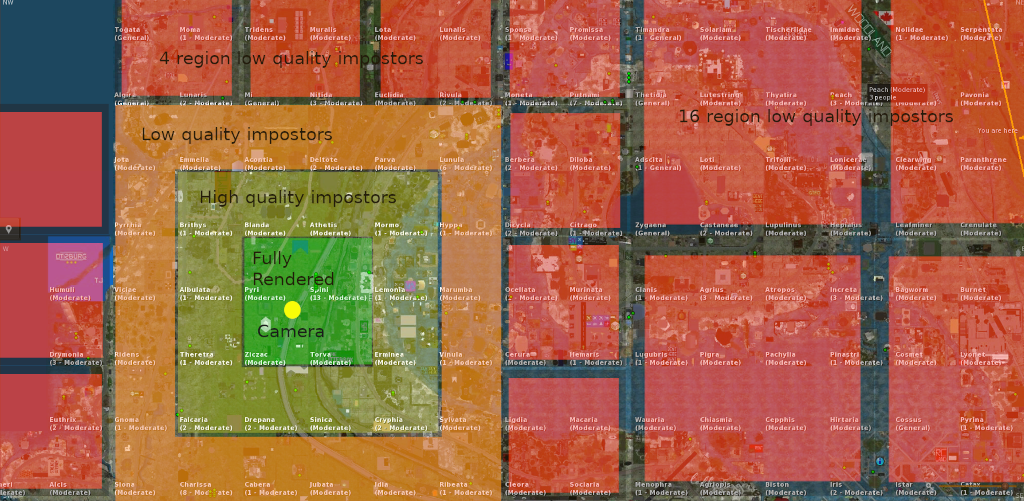
The four regions closest to the avatar are displayed normally. Just beyond those regions, an outer ring of ten regions is displayed at High level of detail. Outside that, the next ring of twenty regions is displayed at medium level. Regions further out are displayed at lowest level, like map tiles or flat images. Regions with large mountains can have a lowest LOD with more elevation detail, so distant mountain ranges will be visible. The goal is that flying over Second Life should look like this video. Impostor tiling is simple for Second Life, where all regions are the same size. Open Simulator has different problems.
There's no need for mutli-region impostors for Open Simulator. There's no mainland area large enough to require them. Only connected areas with significantly more than fifty regions need impostors. Possible enhancementsOnce glTF is fully supported in Second Life, region impostors can have a PBR emissive texture, which should be used to show the region at night. So, at night, you see impostored regions as they would appear at night. What was lit by the region's own lights will be illuminated. Where is a region impostor stored?The mesh and its texture are all standard in-world objects. stored in the world's asset servers. There will be an SQL database, initially not part of the overall SL/OS system, which contains index info about these impostor objects and which regions they impostor. Eventually this may be integrated into Second Life or Open Simulator. Near term, this is a tech demo only visible in Sharpview. Temporarily, impostor data is stored locally, in a text file in the viewer, in JSON format. The data for one impostor looks like this:
This data has been put together by hand for early testing, but automation will be needed.
How is a region impostor created?For initial test purposes, SL map tiles and elevation maps will be used to create basic impostors. This has been done many times before. There was a nice minature model of all of Heterocera at SLB21. Manual additions to impostors are possible. Lighthouses would be a good addition, since sailors use them for navigation. They can emit light, but not rotate or change color; these impostors are static. The stage after that is to generate low-detail 3D models by overflying the world and taking pictures, then feeding the pictures into Open Drone Map. This is similar to the process by which Google Maps are created. Impostors will be needed in sizes 1x1, 2x2, 4x4, 8x8, 16x16, 32x32, 64x64, and maybe 128x128 to cover the largest group of connected regions, mainland. All other groups of connected regions are so small that nothing bigger than 4x4 should be needed. Larger impostors can be created from smaller impostors by merging the top meshes, doing some mesh reduction, merging the texture images, and adjusting the UVs so that the top surface is from 0 to 1. Phase 1 impostors - flat map tiles
Blake Sea with impostors. Early test. The region in the foreground is fully rendered. Land in the distance is the SL map projected on the water. |
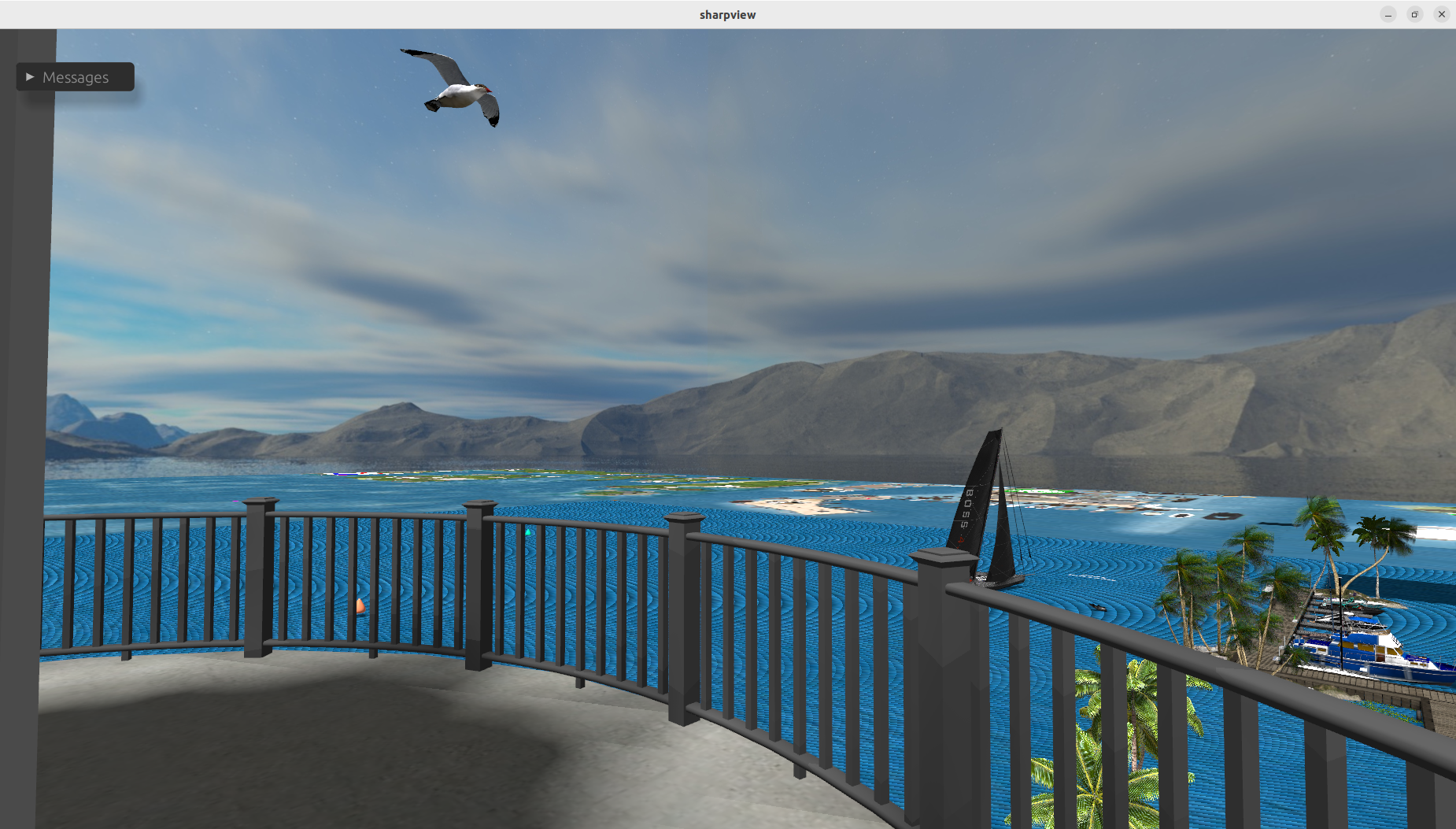
This is phase 1 - flat impostors from map tiles. From the lighthouse, you can see most of the Blake Sea. This is a test of the viewer part of the system.
Notes:
- Map tiles of all standard sizes (1 region, 4 regions, 16 regions, etc.) are being used. There are about 30 impostors visible here.
- Flat impostor land is only visible if the viewpoint is above sea level. 2D impostors don't do much when you are close to the ground.
- The background mountains are just a surrounding image. They are not from the impostor system.
- Off-world water out to infinity is not implemented yet.
- Sky ads which appear in the SL world map are very annoying when projected onto the ground.
- Water rendering needs work.
We need 3D impostors. That's phase 2.
Phase 2 impostors - textured elevation maps
Sharpview now has all the machinery for 3D impostors. Now we need imagery.
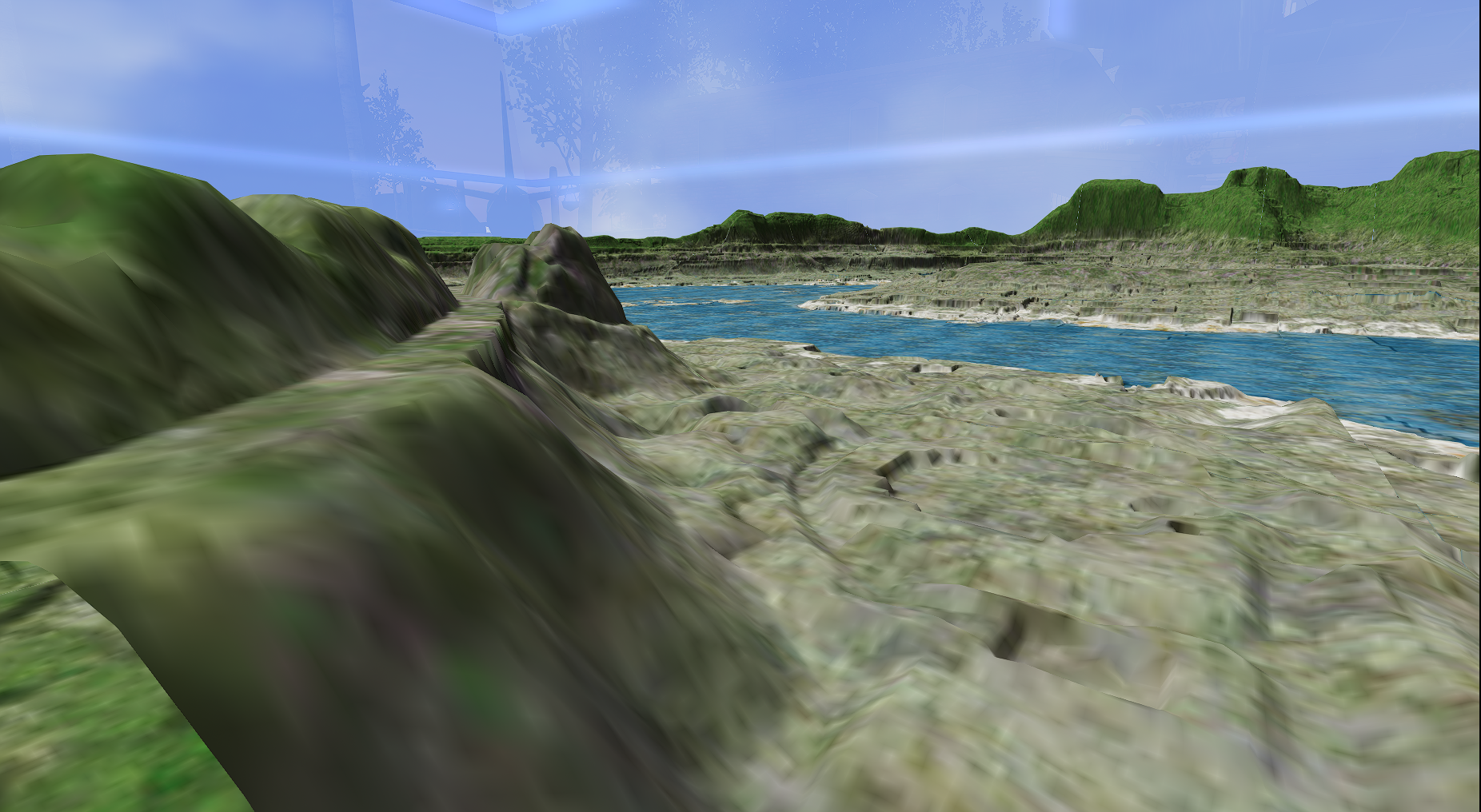 |
| Heterocera, raw terrain. From Eric Mondrian's SL22B model. Not from the new impostor system. Taken from the Heterocera main line, looking towards Mt. Campion, using Firestorm. |
This looks good, but no user-created objects are shown. Sailors can see land edges, but flyers cannot find airports.
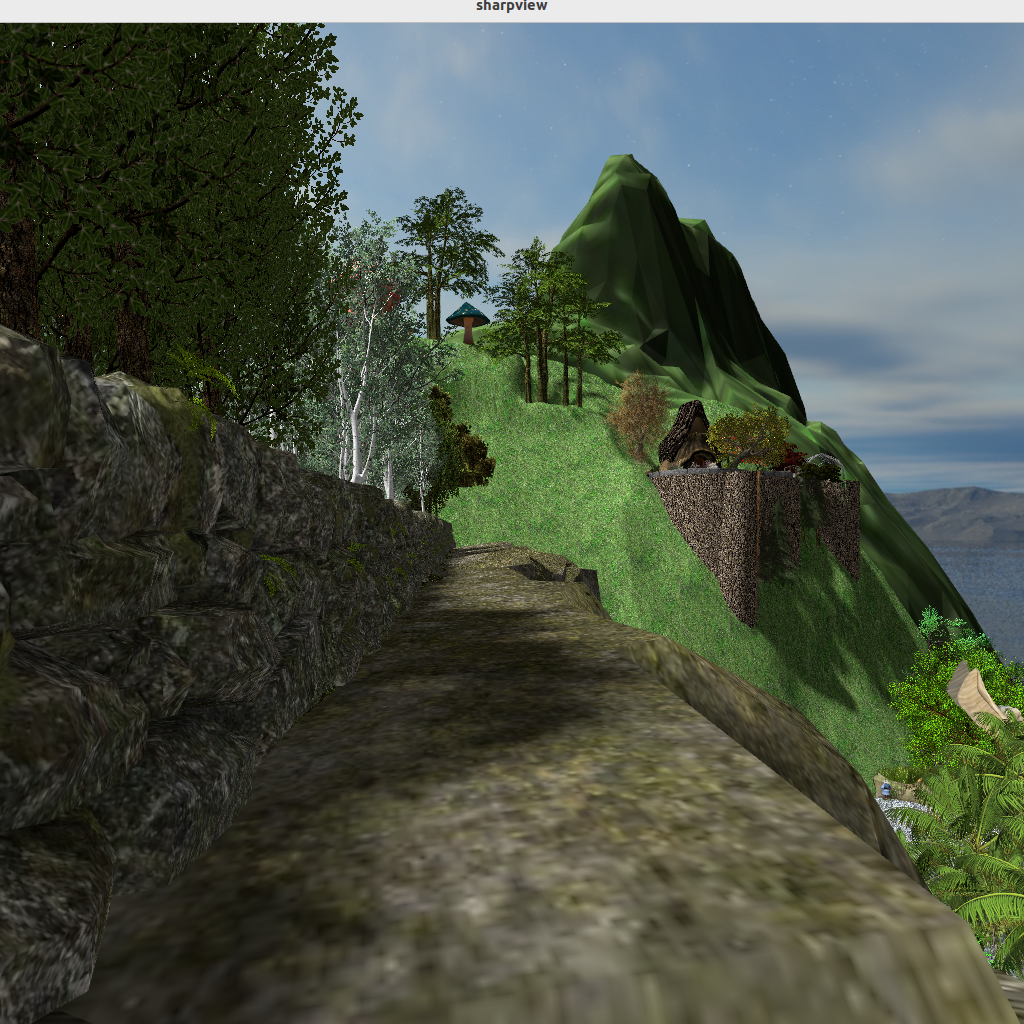 |
| The green peak in the background is Mt. Campion's impostor. It's beyond draw range. |
The viewer part of this is working in Sharpview.
Notes on these results:
- The 3D impostor are single meshes, and have a land impact of about 1 LI.
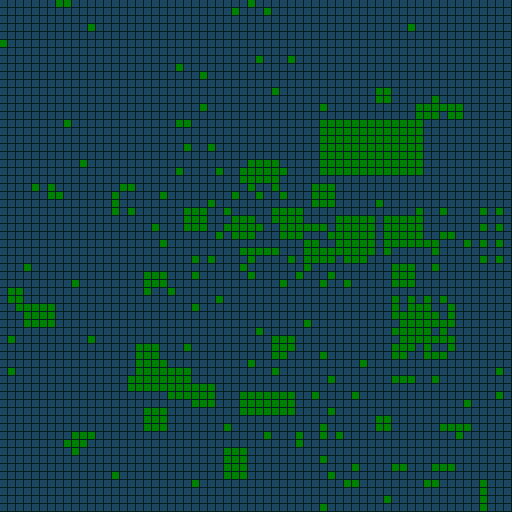
- Impostoring the whole mainland grid requires about 80 impostors. So the cost of enabling this feature should be comparable to 80 LI.
- The biggest technical problem is shadows. Computing shadows for all of mainland at once is possible but requires reducing shadow resolution.
- Making imposters is currently a manual process with too many steps.
- This approach can go into the viewer and impostor generation can be improved later.
Creating impostors for Phase 2
Impostors for these tests are being created manually. This is a slow process that needs to be automated.
- Obtain a height map for a region. An LSL script can do this.
- Use Blender to create a mesh for a height map.
- Optinonally do some mesh reduction on the mesh.
- Upload the mesh into SL via a viewer, paying abou L$11 per mesh.
- For single-region impostors, the texture image is aleady an SL asset. Obtain the UUID from the third-party gridsurvey.com.
- For multi-region impostors, the multi-region texture image can be obtained from the map server. Download it with a custom program and upload it with a viewer.
- Combine the object created by mesh upload with the texture to create a mini-model of the region's terrain.
- Rez the object in world.
- Obtain the texture and mesh UUIDs from the object.
- Put them into the JSON file for the impostors.
That's the general idea.
We're considering a light overlay of the map tiles atop this. It's not perfect, but then you can navigate by sight. Also being considered is manually adding runways and lighthouses, as aids to navigation.